Train Simulator Uphill Drive16.4
Publisher Description


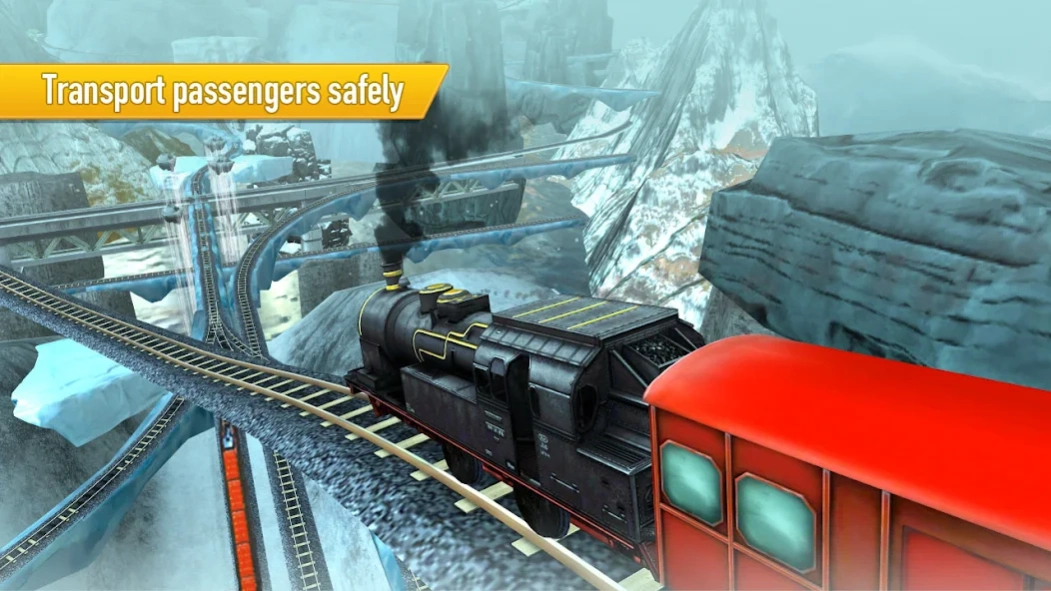
Train Simulator Uphill Drive is a best Euro Train Driver Game.
Train Simulator Uphill Drive, the game you have been waiting for! Enjoy the scenic view as you simulate the realistic hill climb in this train simulator game. Change the camera view as per your comfort; pick up all the passengers to drop at their respective destinations. Look out for sharp twists and turns, control your climb speed and handle your train safely.
Train Simulator Uphill Drive currently features 10 unique types of trains, day/night mode depending on the time of game play, 15 levels of breathtaking simulation and 3 themes like Hills, Desert and City! Dodge oncoming trains and do not cross the speed limit. You can EARN XP and level up to be the skillful driver of them all.
Train Simulator Uphill Drive Game Controls:
*Accelerate upward to move forward & downwards to slow down
*Press halt to stop
*Swipe left and right to take turns
If you face any problems while installation our Games please report to us. This will help us resolve it at the earliest.
About Train Simulator Uphill Drive
The company that develops Train Simulator Uphill Drive is Timuz Games. The latest version released by its developer is 16.4.
To install Train Simulator Uphill Drive on your Android device, just click the green Continue To App button above to start the installation process. The app is listed on our website since 2026-10-01 and was downloaded 9 times. We have already checked if the download link is safe, however for your own protection we recommend that you scan the downloaded app with your antivirus. Your antivirus may detect the Train Simulator Uphill Drive as malware as malware if the download link to com.timuzsolutions.trainsimulatoruphilldrive is broken.
How to install Train Simulator Uphill Drive on your Android device:
- Click on the Continue To App button on our website. This will redirect you to Google Play.
- Once the Train Simulator Uphill Drive is shown in the Google Play listing of your Android device, you can start its download and installation. Tap on the Install button located below the search bar and to the right of the app icon.
- A pop-up window with the permissions required by Train Simulator Uphill Drive will be shown. Click on Accept to continue the process.
- Train Simulator Uphill Drive will be downloaded onto your device, displaying a progress. Once the download completes, the installation will start and you'll get a notification after the installation is finished.
Program Details
System requirements
Download information
Pricing
Version History
version 16.4
posted on 2026-10-01
Bug Fix
Ads update
version 16.3
posted on 2026-07-28
Bug Fix
version 13.8
posted on 2024-08-13
Bug Fixed
Gameplay improved
UI issue Fixed
version 13.0
posted on 2024-04-16
version 12.8
posted on 2024-01-19
Bug Fixed
version 12.7
posted on 2023-08-25
Improved Game Play and Performance.
Thank you for the support.
version 12.6
posted on 2023-01-10
Thanks for your support.
version
posted on 2020-04-07
Improved game play.
Thank you for the support
